

CamCEAD's cloud storage is part of CAMCEADHUB, our cloud analysis platform for CASU, which runs on IRIS. Every CAMCEADHUB account comes with its own private S3-compatible storage bucket. The space is persistent and stays the same whichever server you use, and it has sharing built in, so you can pass a dataset to a colleague without email attachments or USB sticks.
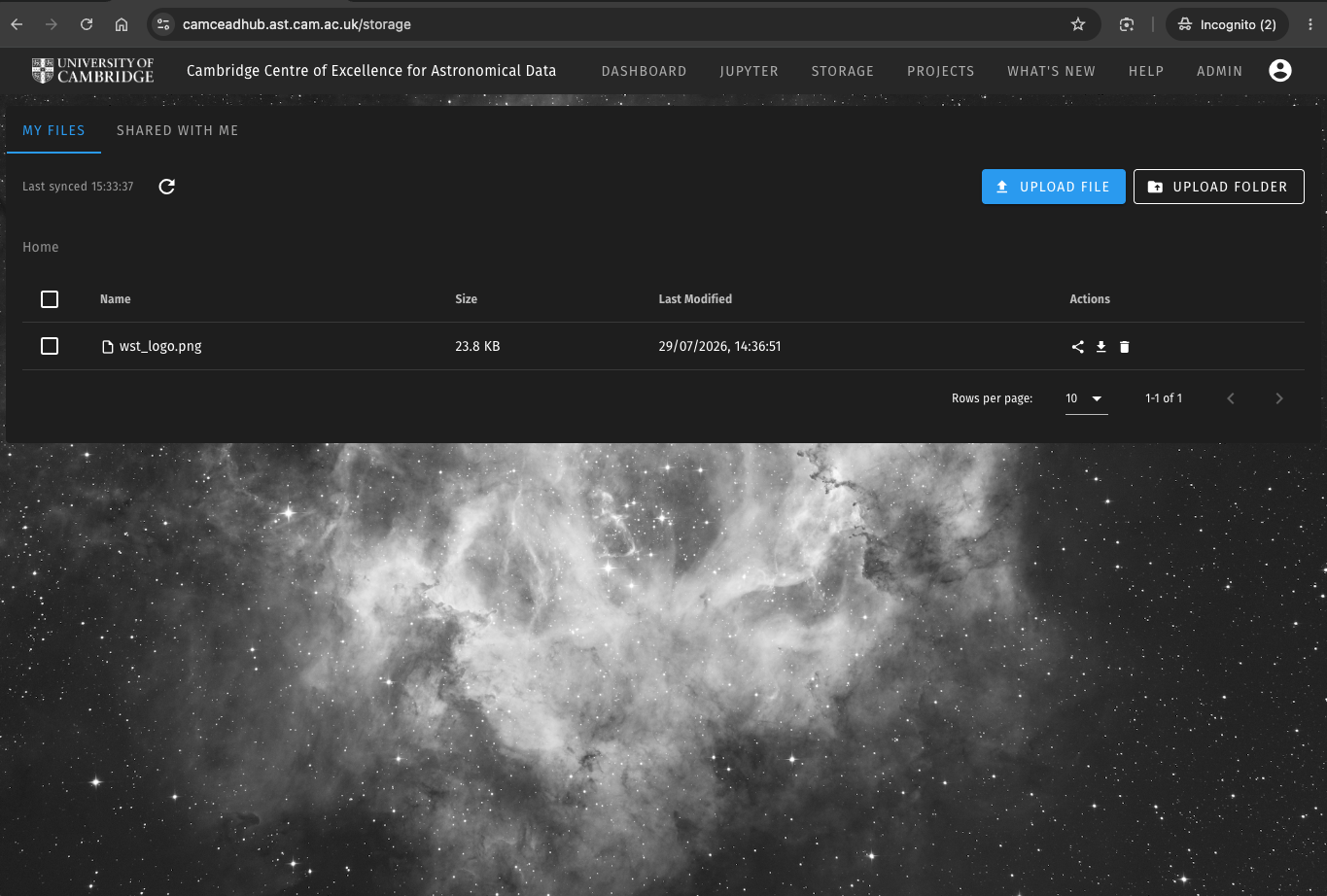
All CamCEAD members already have access, as long as they are registered on CAMCEADHUB. There is nothing extra to request or set up. Sign in with your CAMCEADHUB account or with your University of Cambridge Raven account (CRSid) and go to camceadhub.ast.cam.ac.uk/storage.
Three ways to use it
- The Storage page in the dashboard, where you can browse, upload single files or whole folders, download and delete. Uploads can be cancelled part-way through, and you can select several files to delete at once.
- From your own computer, using the command-line client mc (the MinIO client) or a graphical S3 client such as CyberDuck, MountainDuck, Transmit or WinSCP, with the access keys shown on your CAMCEADHUB Profile page. This is the easiest way to move a dataset onto the platform before you start, or to copy results back to your own machine afterwards.
- From inside a running Jupyter server, where command-line access is already set up. Every session has mc and boto3 (Python) configured for your bucket, so a notebook can read and write your storage directly.
Sharing files
You can share files and folders from the Storage page in two ways:
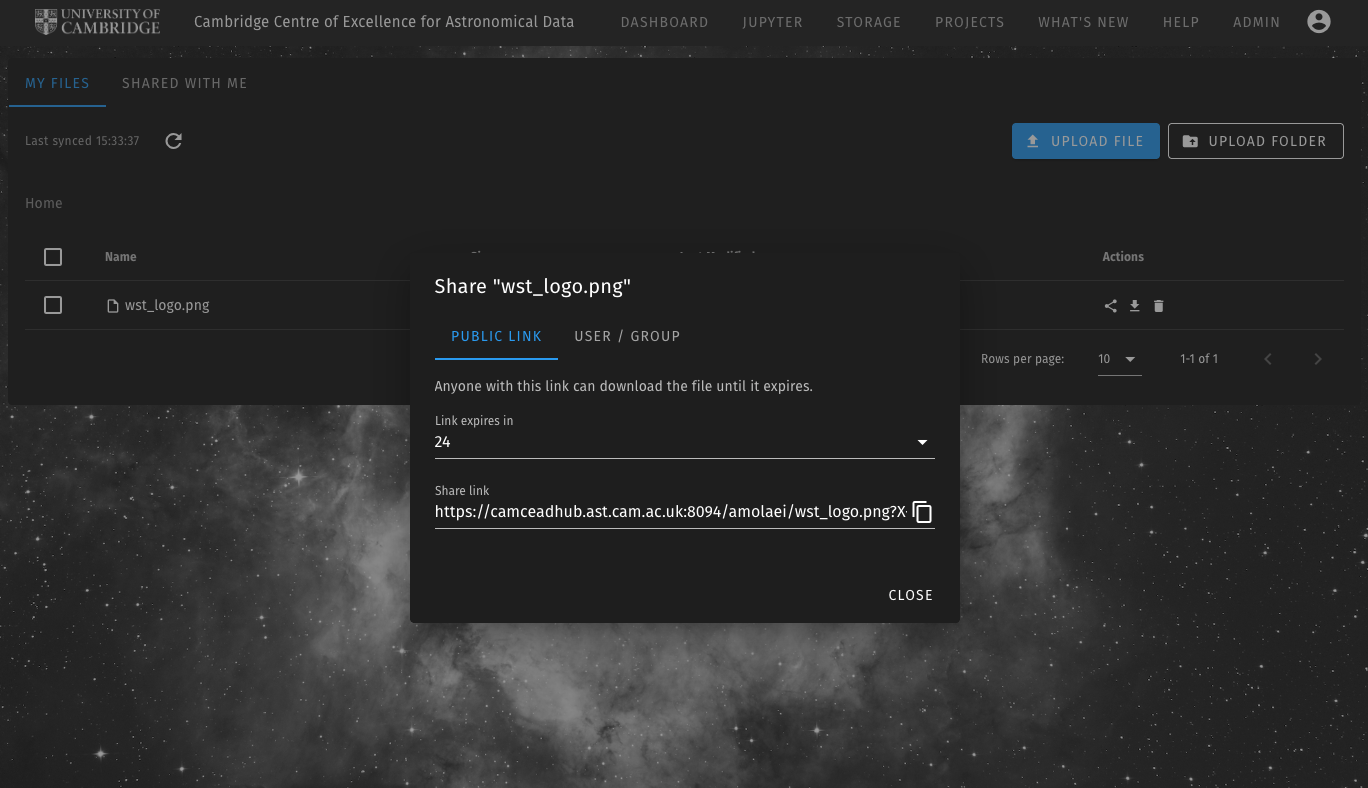
- A public link: a temporary download link, valid for 1 hour, 1 day or 7 days, that anyone can use without a CAMCEADHUB account. This is useful for sending a plot, a results file or a dataset to an external collaborator or a journal referee.
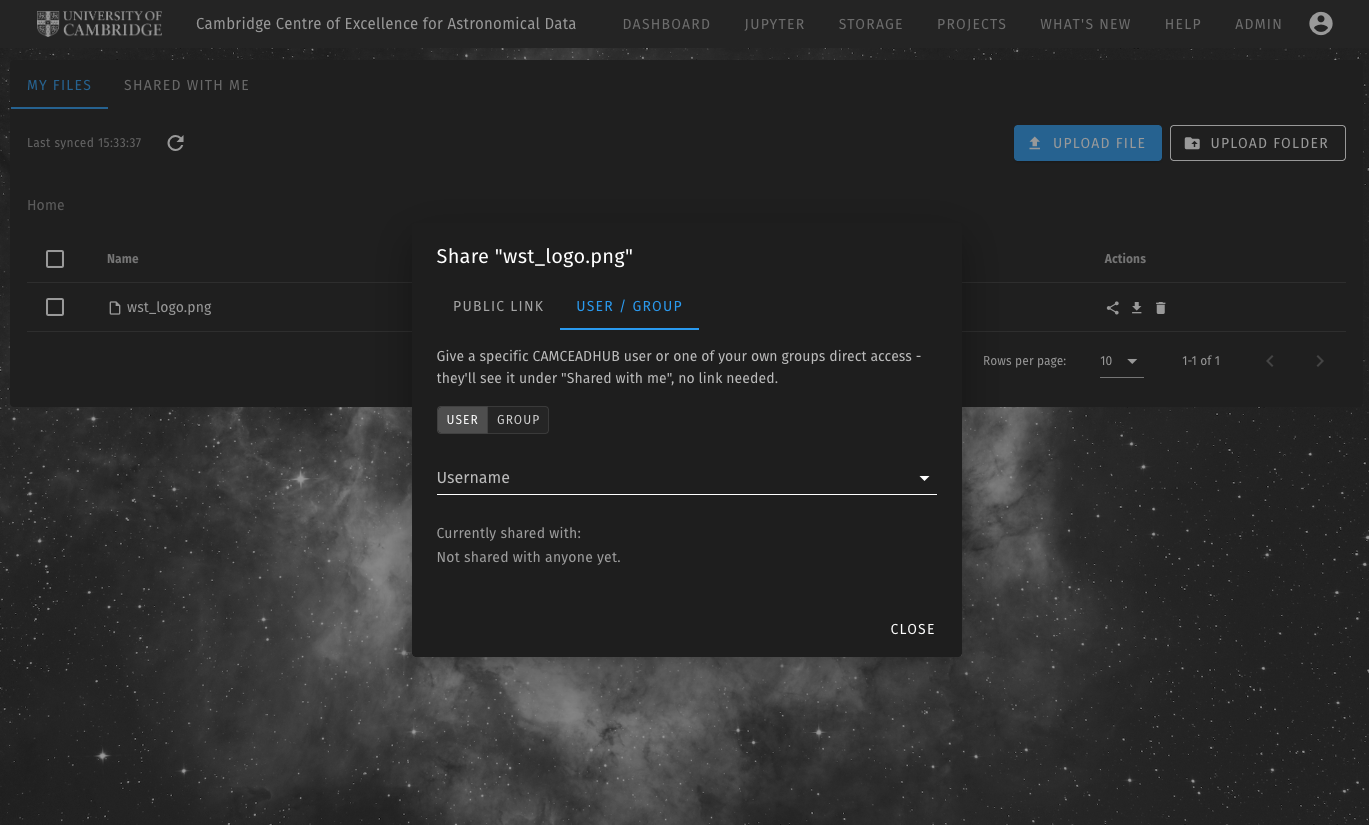
- Direct sharing: you give a specific CAMCEADHUB user, or one of your project groups, access to a file or folder. It then appears in their "Shared with me" tab without any link, and you can withdraw access at any time. A whole project team can be given access to a results folder in one step.
Members of some projects, such as WEAVE and MOONS, also see their project's shared network storage inside their Jupyter sessions next to their personal storage, so project datasets are available as soon as a session starts.
More about registering, signing in and everything else CAMCEADHUB offers is on the CAMCEADHUB project page.